1228
10 min
A Simple Guide to SAP’s Upgrade and Update Policy for SAP S/4HANA

Ksenia Razumovskaya
Business Development Manager, TeamIdea Group
Intro
Understanding how updates and upgrades work in SAP S/4HANA is essential for organizations and managers who want to maintain system stability while continuously benefiting from improvements and innovations of SAP ecosystem.
TeamIdea experts are ready to give you a friendly hand and help you to follow a structured maintenance strategy that balances innovation, stability, and minimal disruption for your business processes.
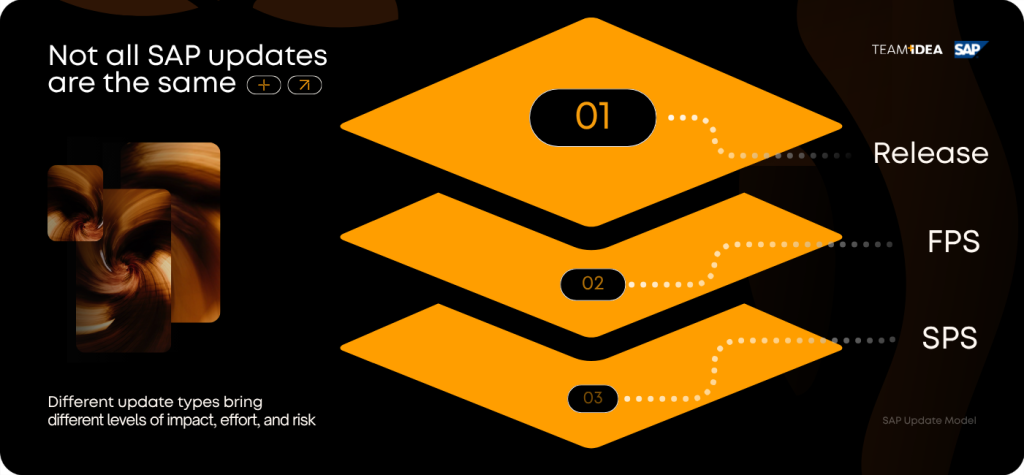
This guide explains the three main components of SAP’s update model:
- Releases;
- Feature Package Stacks (FPS);
- Support Package Stacks (SPS).
And we will also talk about how they relate to each other, while this graphic scheme below can guide you through the logic of changes:
SAP Release: The Foundation of the Update Cycle
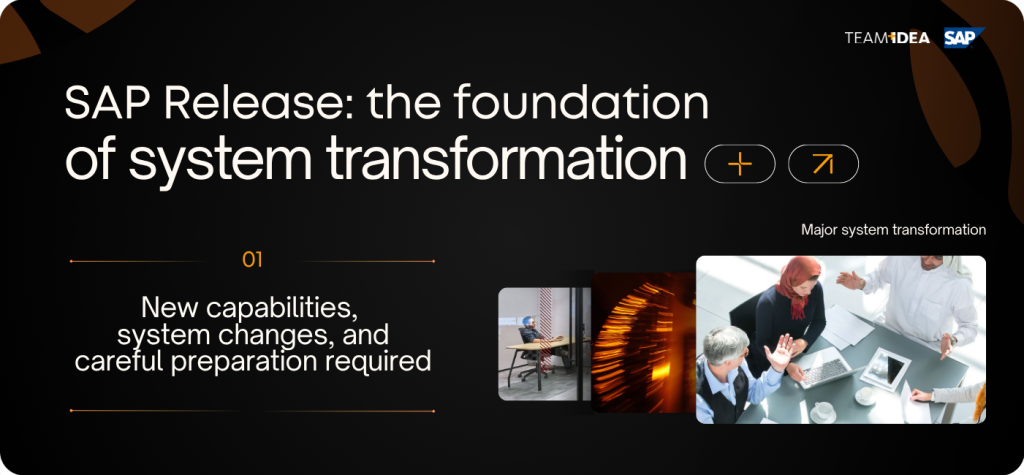
Let’s start with the most significant one. An SAP release represents the largest and the most important update level in the lifecycle of an SAP S/4HANA system. Releases introduce substantial innovations and major structural changes to the entire platform. A new SAP S/4HANA release is typically delivered once every two years. Each release may include:
- Noticeable functional improvements.
- New technological capabilities.
- Replacements of outdated components.
- Large-scale enhancements to existing features.
Because of the scale of these changes, upgrading to a new release usually requires careful preparation, thorough system testing, training, and even adjustments to business processes. For example, a system running SAP S/4HANA 2023 represents a specific baseline release from which later updates are applied.
Feature Package Stacks (FPS): Incremental Innovation
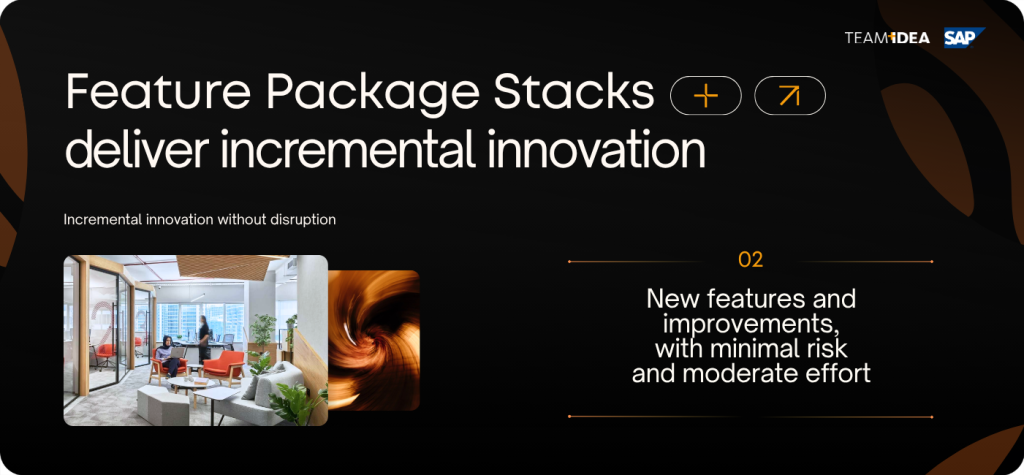
After a new release is delivered, SAP provides three Feature Package Stacks for that release: FPS01-FPS02-FPS03. From a technical standpoint, FPS is similar to a Support Package Stack (SPS). However, the scope of an FPS is usually broader and may include:
- New features and functional enhancements.
- Software corrections.
- Legal and regulatory updates.
- Stability improvements.
Importantly enouth, while an FPS can introduce new capabilities, it normally does not remove existing features or objects. This ensures backward compatibility and minimizes operational risks. Because FPS updates involve incremental improvements rather than structural changes, they are less disruptive than full system upgrades.
And here is the overall impact on implementation teams: updating to an FPS generally requires regression testing of existing business processes coupled with functional testing for new features and possible minor end-user training.
As you can see, it’s a relatively limited preparation compared to full upgrades. And FPS updates allow organizations to adopt improvements gradually, and without undergoing a full release upgrade.
Support Package Stacks (SPS): Ensuring Further Stability
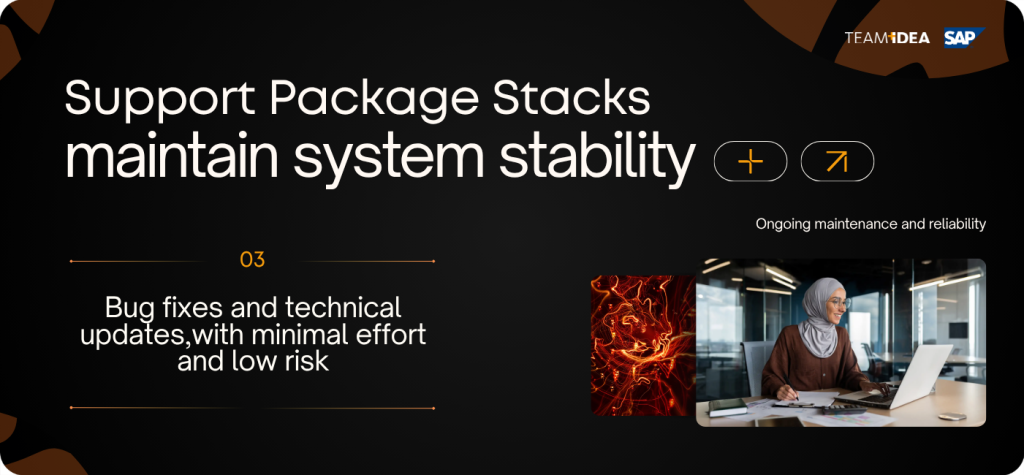
Once the three Feature Package Stacks for a release have been delivered, SAP goes on and provides Support Package Stacks (SPS). The first SPS usually starts at SPS04. They focus primarily on system stability and maintenance, rather than innovation and typically include:
- Software bug fixes.
- Legal and compliance updates.
- Technical corrections.
- Performance and reliability improvements.
Unlike FPS updates, SPS updates generally do not introduce new or modified functionality and their operational impact can be described as corrections. And because SPS updates focus mainly on corrections, their implementation is typically straightforward.
When updating through SPSs, your company usually needs: minimum preparations, practically no training. Although regression testing of core business processes is still required. We recommend updating to the latest SPS regularly to maintain optimal stability and prevent known issues.
Simple Comparison of Releases, FPS, and SPS
As we previously said, the three update types differ in their scope, frequency, and operational impact. And the following table visualizes the key differences: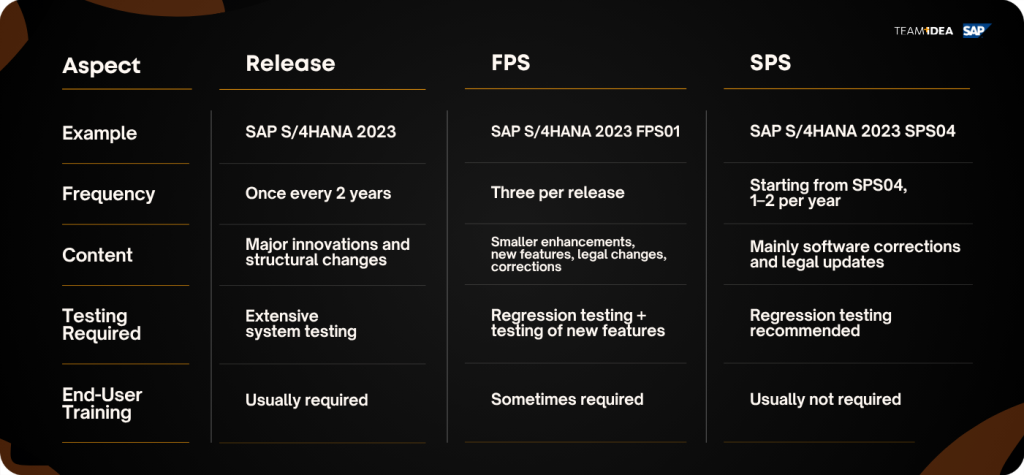
Recommended Update Strategy and Best Practices
TeamIdea recommends partner organizations using SAP S/4HANA:- Adopt a structured update strategy that balances innovation and operational stability. Best practices include: careful planning of major upgrades, since releases occur every two years. And include significant changes, they should be incorporated into long-term IT planning.
- Adopt FPS updates regularly. Carefully applying FPS updates allows companies to benefit from new features and improvements without waiting for the next major release.
- Keep systems current with SPS updates. Installing the latest SPS ensures system stability, compliance with legal requirements, and protection from known software issues.
By following this layered update model, you will be able to maintain a stable and secure ERP environment while gradually adopting innovations.
Brief Resume
SAP’s structured update strategy for SAP S/4HANA is designed to provide predictable innovation cycles and operational stability.- Releases deliver major innovations every two years.
- Feature Package Stacks (FPS) introduce incremental enhancements and improvements.
- Support Package Stacks (SPS) ensure system stability through corrections and legal updates.
Understanding how these components interact allows organizations to plan upgrades efficiently, minimize operational disruption, and maintain a reliable enterprise system.

TeamIdea encourages you to apply wise approaches and feel free to ask us for more help with SAP S/4HANA upgrades and updates.